JumboPlan
An interactive degree sheet where progress becomes visible.
Timeline
36 Hours
Role
UX Designer
Skills
User Research
Visual Design
Design Systems
Team
2 Back-end Engineers
2 Front-end Engineers
1 Designer (me)
Overview
JumboHack is a 36 hour hackathon at Tufts where engineers and designers come together to build a 0 to 1 product which solves a problem in a given track. Our track for JumboHack 2026 was Education.
💡
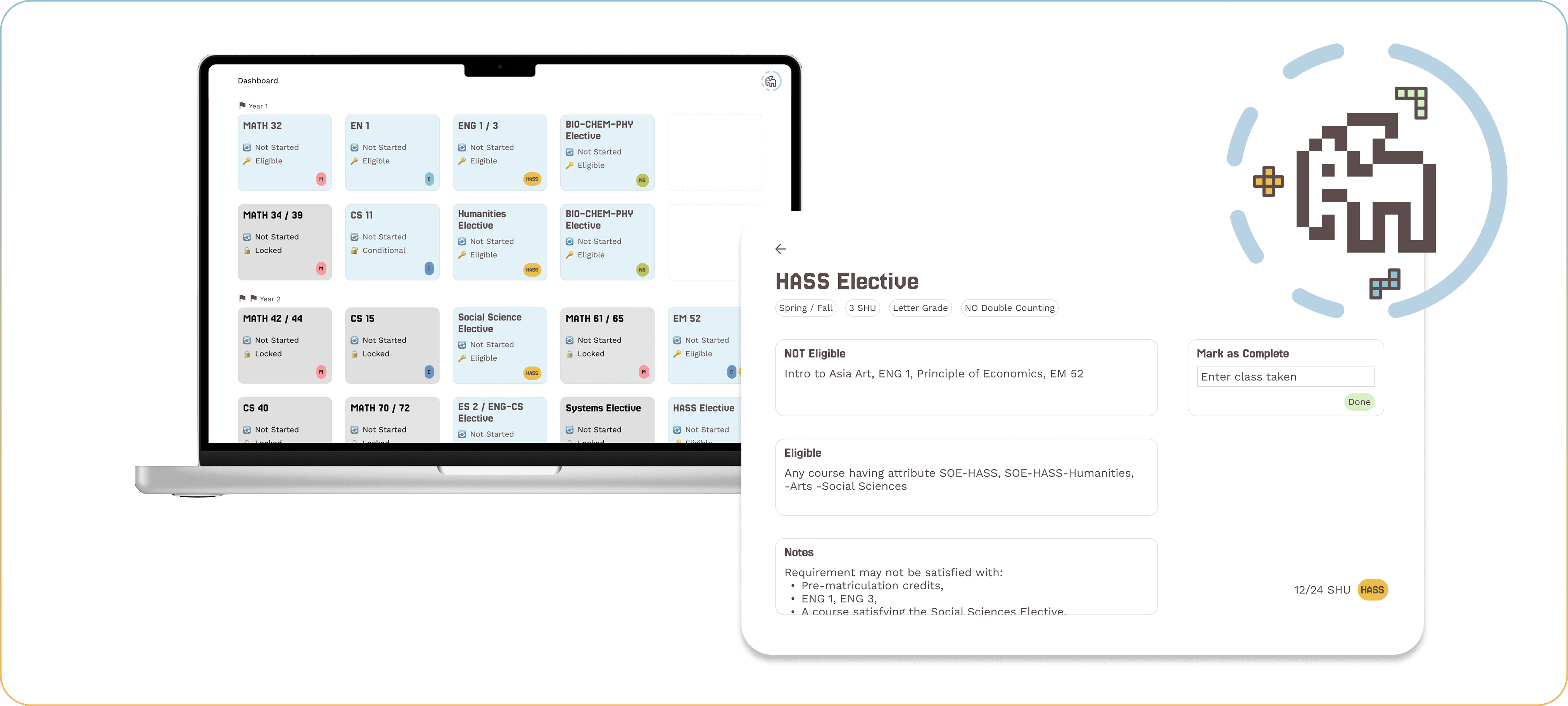
JumboPlan transforms the traditional static degree sheet (PDF) into an interactive, visual course planning experience. Instead of manually parsing prerequisites and requirement rules, students can see their entire academic path as a dynamic graph with eligibility, progress tracking, and prerequisite logic built in.
I collaborated with 4 engineers and shipped our MVP in one weekend. I led the UI/UX design, focusing on visual design and an intuitive user experience. Together, we built JumboPlan using a modern web stack with a React/Next.js frontend and a backend that processes degree requirements and course data. We structured each major’s curriculum into modular requirement blocks and connected them to a progress-tracking system.
Our inspiration
How did we come up with the initial idea?
It all started from a conversation between 3 friends...
👩🏻💻
CS major friend
👩🎨
double major friend
it truly takes a whole degree to understand the School of Engineering degree sheet
I don’t even have an official degree sheet to plan out my 5-year double major degree... :(
hmmm I wonder if this is a problem for other people too
🙋🏻♀️
me
Research
Validating our hypothesis through surveys & interviews
Surveyed 38 Tufts Undergrads
87%
currently tracks their degree with a static tool (PDF, Spreadsheet, Notes app)
80%
felt “somewhat unsure” or “very unsure” when planning their courses, especially freshman students
92%
found it overwhelming to understanding prerequisites and what courses to take next
Conducted 4 Interviews with School of Engineering / Double Major Students
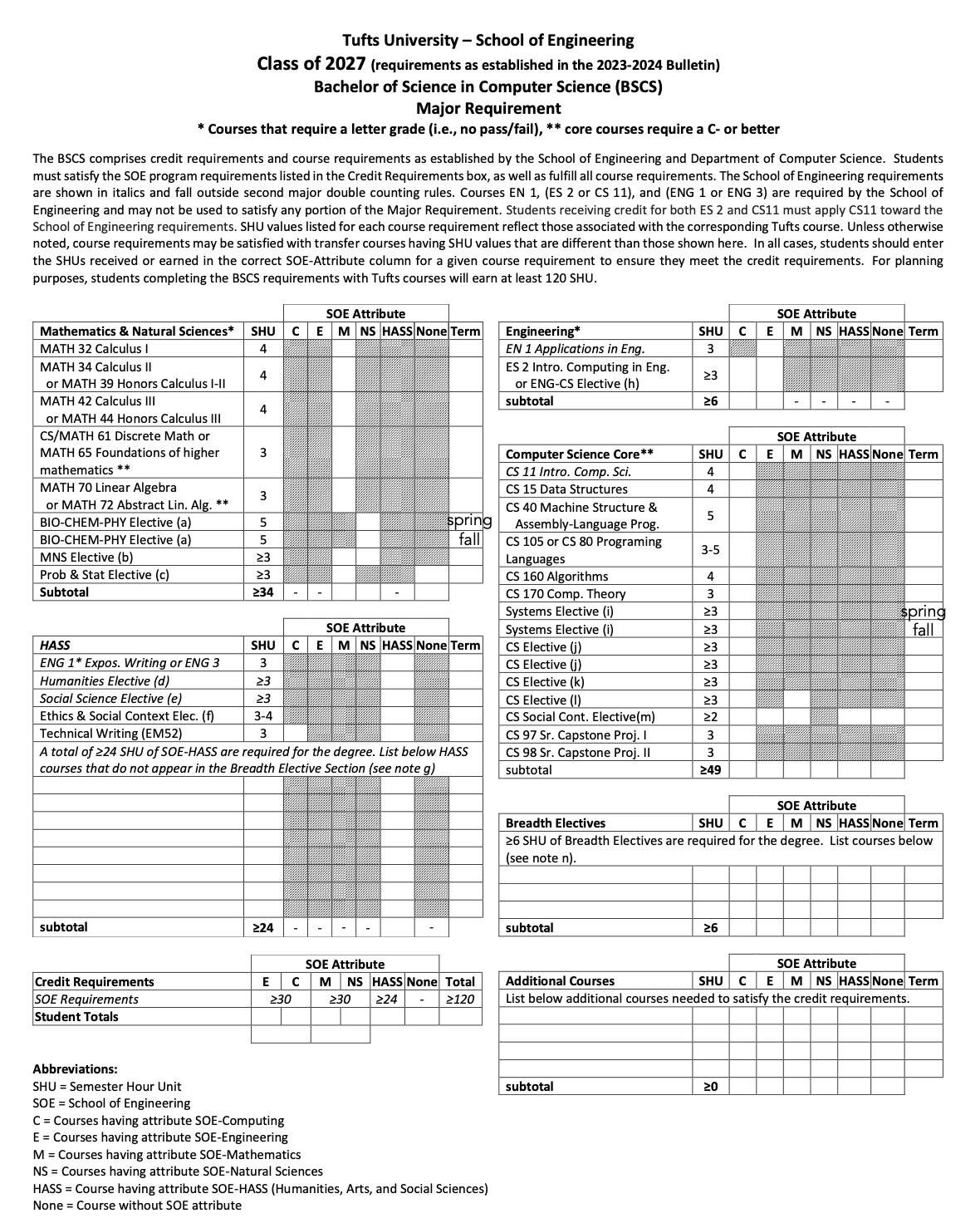
The current solution: Degree Sheet PDF
“There are just too much stuff shown at once, and all of them are either table or words. I wish there was some sort of visual guidance.”
“I have to do a lot of back and forth scrolling and comparison to see which courses I can take as electives because that info is 2 pages away from the planning section.”
“I can only cross out the table, but that’s not helpful if I want to know about prerequisites & eligibility once I complete a course.”
Synthesis of research
Major Pain Points
🎯
Cognitive Overload
🎯
Fragmented information
🎯
Limited Interaction
How Might We...
💡
transform static degree sheets into a planning system that reduces cognitive overload, builds a coherent information hierarchy, and provides real-time feedback & flexibility?
Design
Prototyping, iterating and building system level designs
Persona
👩💻
Anne Li
Major
Computer Science
(Engineering)
School
Mid-sized private university
Year
Sophomore
About
Anne is a CS student in the SOE program. She struggles to understand her degree sheet & wish there is a better solution to track her degree
Goals
Graduate in 4 years
Take advanced AI/ML electives
Avoid overloading semesters
Know exactly what she’s eligible to take next semester
Avoid accidentally missing a requirement
Pain Points
Must mentally track prerequisite chains
Feels overwhelmed looking at the full degree sheet
Scrolls up and down repeatedly to see elective details
Unsure if delaying a course will affect graduation
Design Concepts
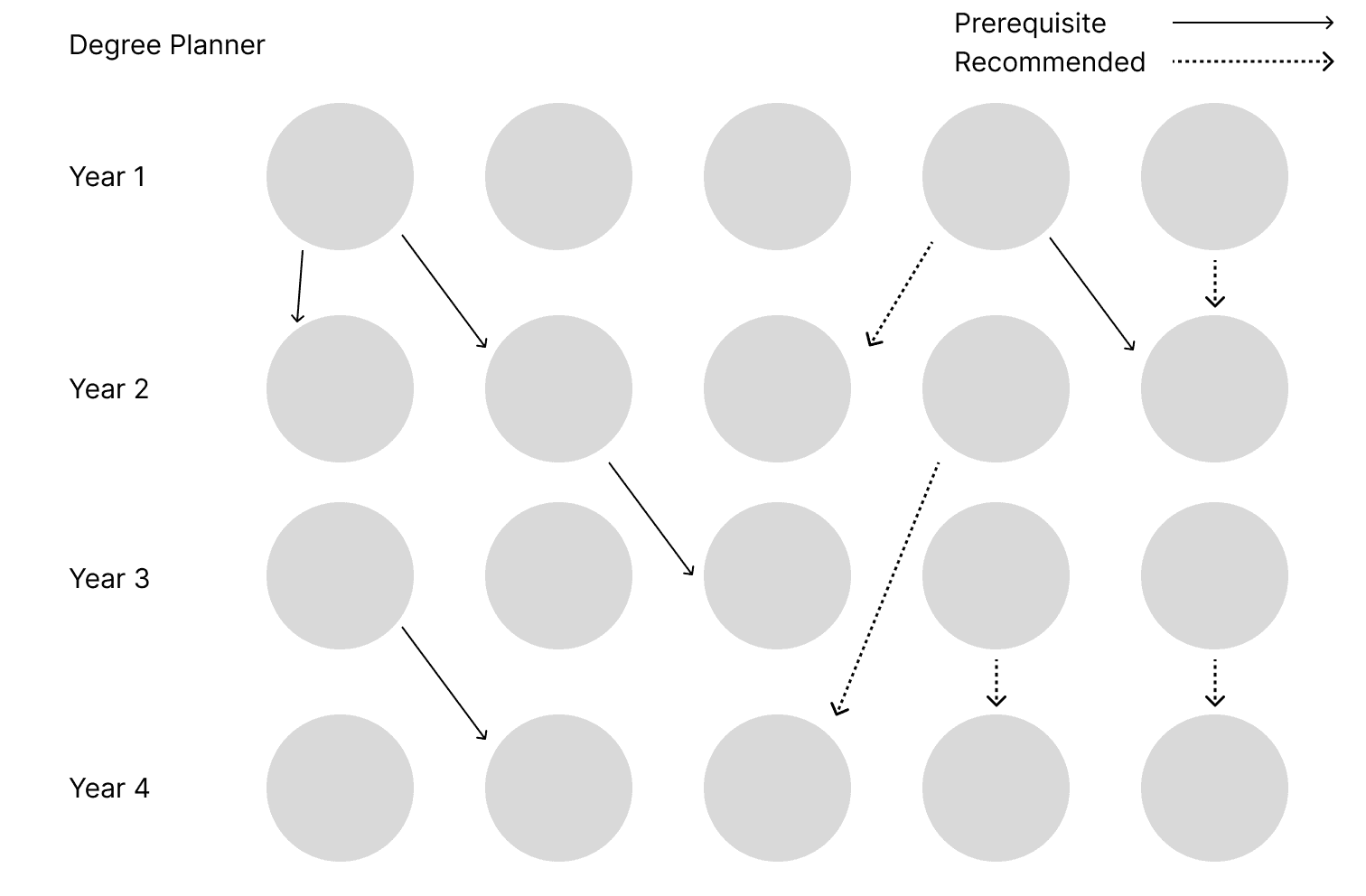
Concept #1: Degree Tree with Nodes
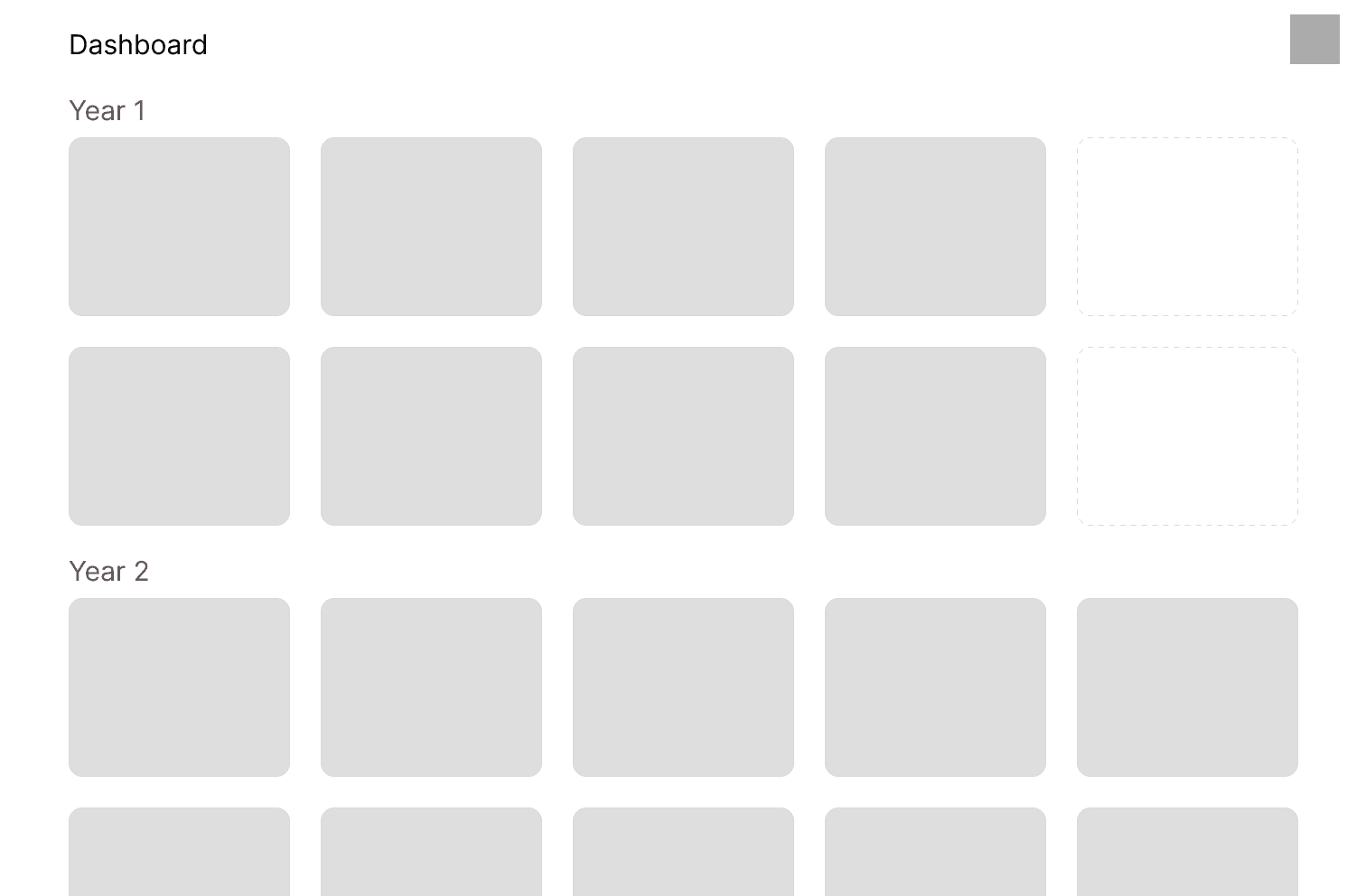
Concept #2: Course Dashboard
💡
We decided to move forward with Concept #2 because a dashboard view consolidates progress, eligibility, and requirement status into one centralized space. It also supports both short-term and long-term planning. Comparatively, a degree tree feels more like a visual structure, while a dashboard feels like a system.
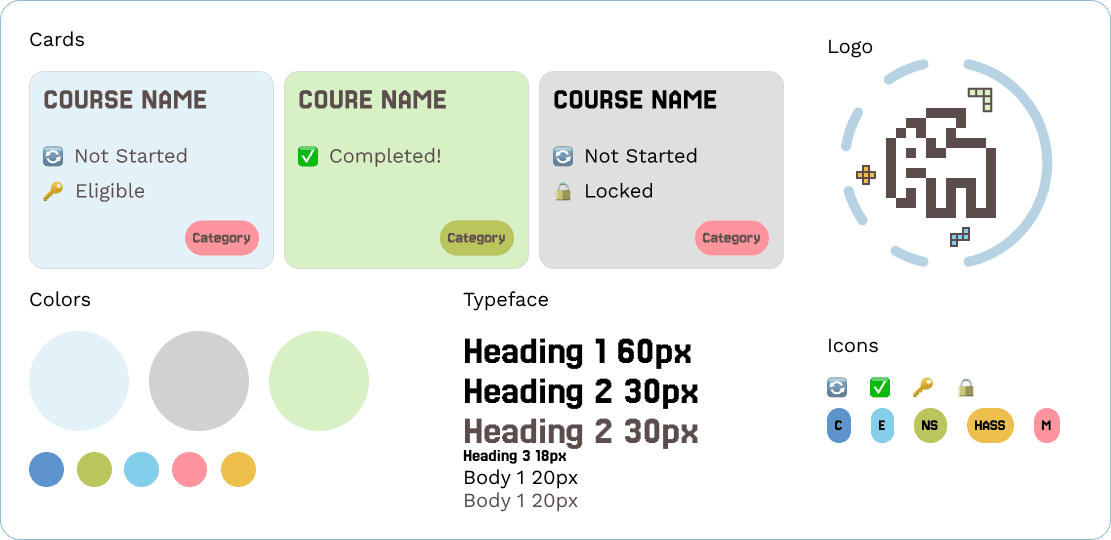
Style Guide
Our Solution
Pitching JumboPlan to 3 judges by the end of day2
Visualization
Color coded course cards, showing eligibility, status, and distributions. Organized in a default dashboard but allows flexible planning.
Interactions
Clicking into each course card shows prerequisites, eligibility, and notes.
Interactions
Hovering over ineligible courses for electives reveals unmet requirements.
Dynamic Updating
Auto update credits taken based on completed courses, and course eligibility based on status of prerequisites.
Next Steps
What I learned & how we plan to move forward
What I learned
Learned to rapid prototype under tight timelines while delivering design solutions grounded in data, iteration, and systems thinking. In addition, collaborating with four engineers helped me practice communicating in their language. I was intentional about presenting my designs in ways that were technically feasible and efficient. I also gained exposure to data modeling and frontend-backend integration.
Future Direction
Next, we plan to expand JumboPlan to support more majors and combined-degree programs. We want to integrate real-time course availability, advisor collaboration tools, and personalized recommendations. Our long-term goal is to partner with Tufts administration to make JumboPlan an official academic planning platform.





© Ivy Chang 2026
Thanks for stopping by! Let’s stay connected