GitLab Onboarding
Designing a Sibling Navigator to help new users understand GitLab hierarchy while onboarding.
Timeline
Spring 2026
Role
UX Designer
Skills
User Interview
Usability Testing
Design Systems
Team
2 User Researchers
2 UX Designer (me)
Our Client

GitLab is a web-based DevOps platform that helps teams build, manage, and deliver software all in one place. The goal of this project is to understand the pain points of first-time users during onboarding and identify the biggest roadblocks they face in the early stages of using the platform, in order to improve the efficiency and confidence of new users.
--
User Research
8 initial user interviews to uncover pain points
Previous research done by GitLab user researchers has revealed multiple usability issue that impact the early stage user adoption of the platform. Our research goal is to pinpoint at the high impact usability issue and validate the problem.
Method
As a team, we ran 8 moderated user interviews with participants recruited through a screener. We targeted software developers, as they are the largest user group for GitLab, and selected participants who had never used GitLab or were unfamiliar with it (fewer than three months of experience).
Each session consisted of three parts:
Pre-session questions to understand participants’ backgrounds, how they typically onboard new tools, and the technical tools they use in their daily workflows
Free exploration of the simulated environment
Task analysis to understand how participants navigate and complete key actions
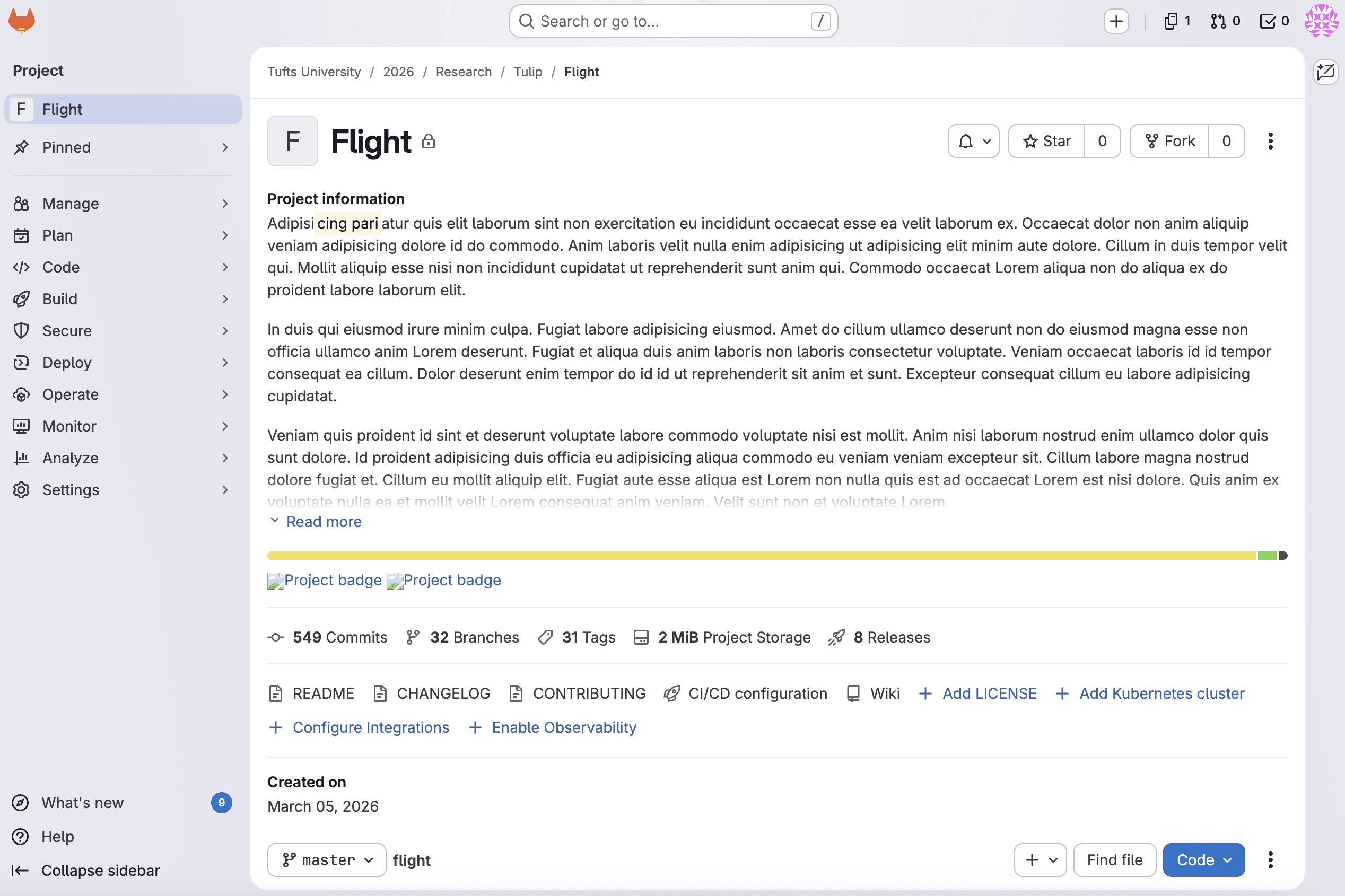
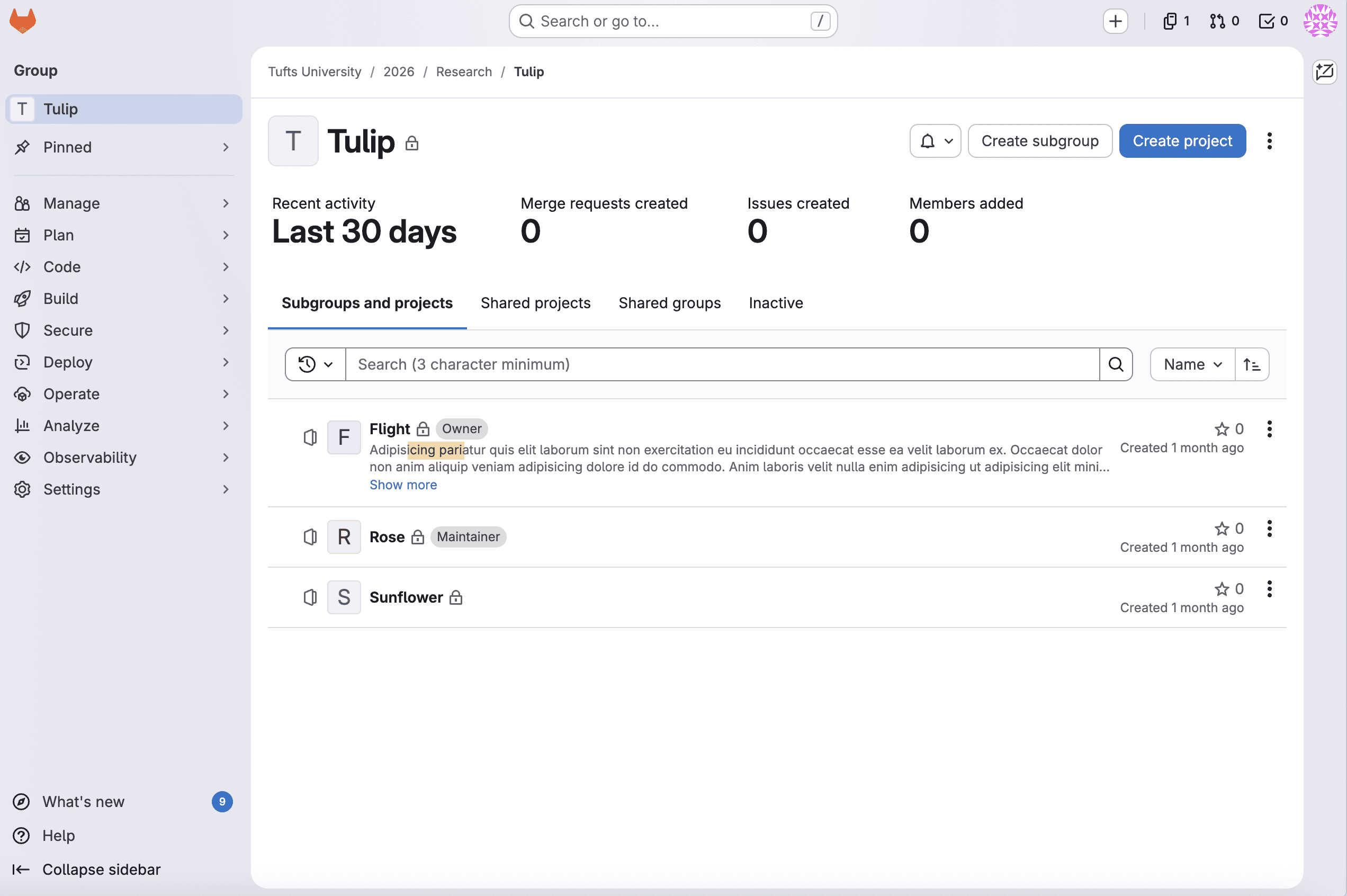
We set up a simulated GitLab environment using imported public projects.
Consolidating our discovery through affinity mapping
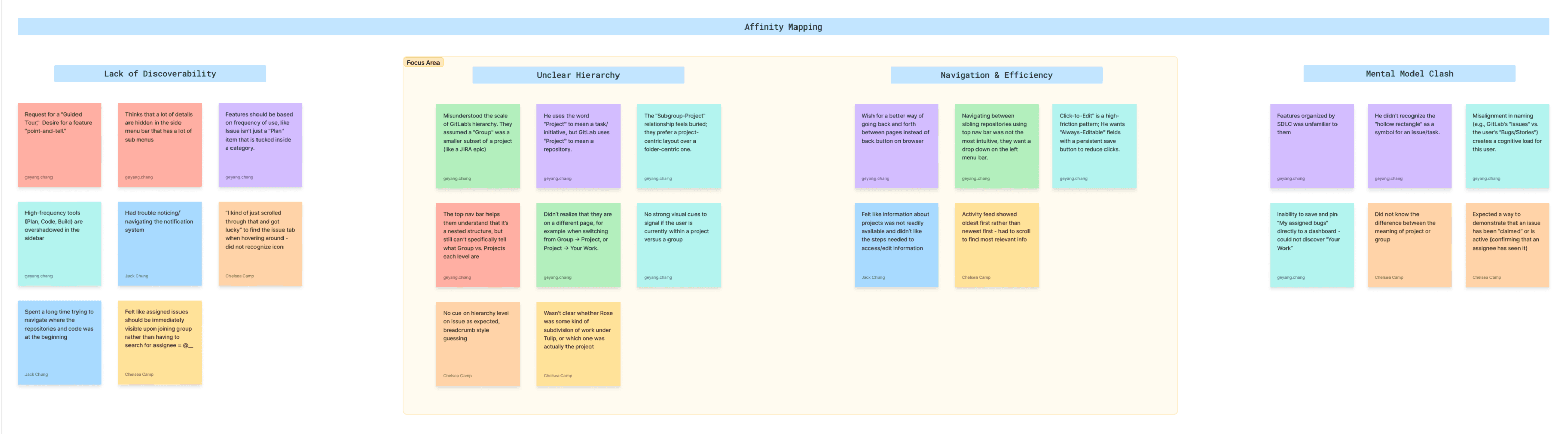
Our affinity map revealed 4 clusters of pain points
🎯
Lack of Discoverability
People felt that high-frequency tools are buried in deep sub-menus, and navigation often relies on accidental discovery rather than intuitive design.
🎯
Unclear Hierarchy
People struggled to understand GitLab’s hierarchy / structure because they are confused by the terminology of “Group” and “Project” and there is no clear visual cue to distinguish them.
🎯
Navigation & Efficiency
People found current workflows high-friction due to a reliance on browser back buttons and “click tax”.
🎯
Mental Model Clash
People with backgrounds in GitHub or other tools experience a mental model clash when transitioning to GitLab.
Then, we framed design opportunities through defining How Might We statements
🎯 We prioritized usability issues around hierarchy and navigation due to impact and severity.
How Might We #1
increase user confidence in identifying which hierarchy/page they are in (even in misclicks)
How Might We #2
make users understand the GitLab organization/structure at a glance
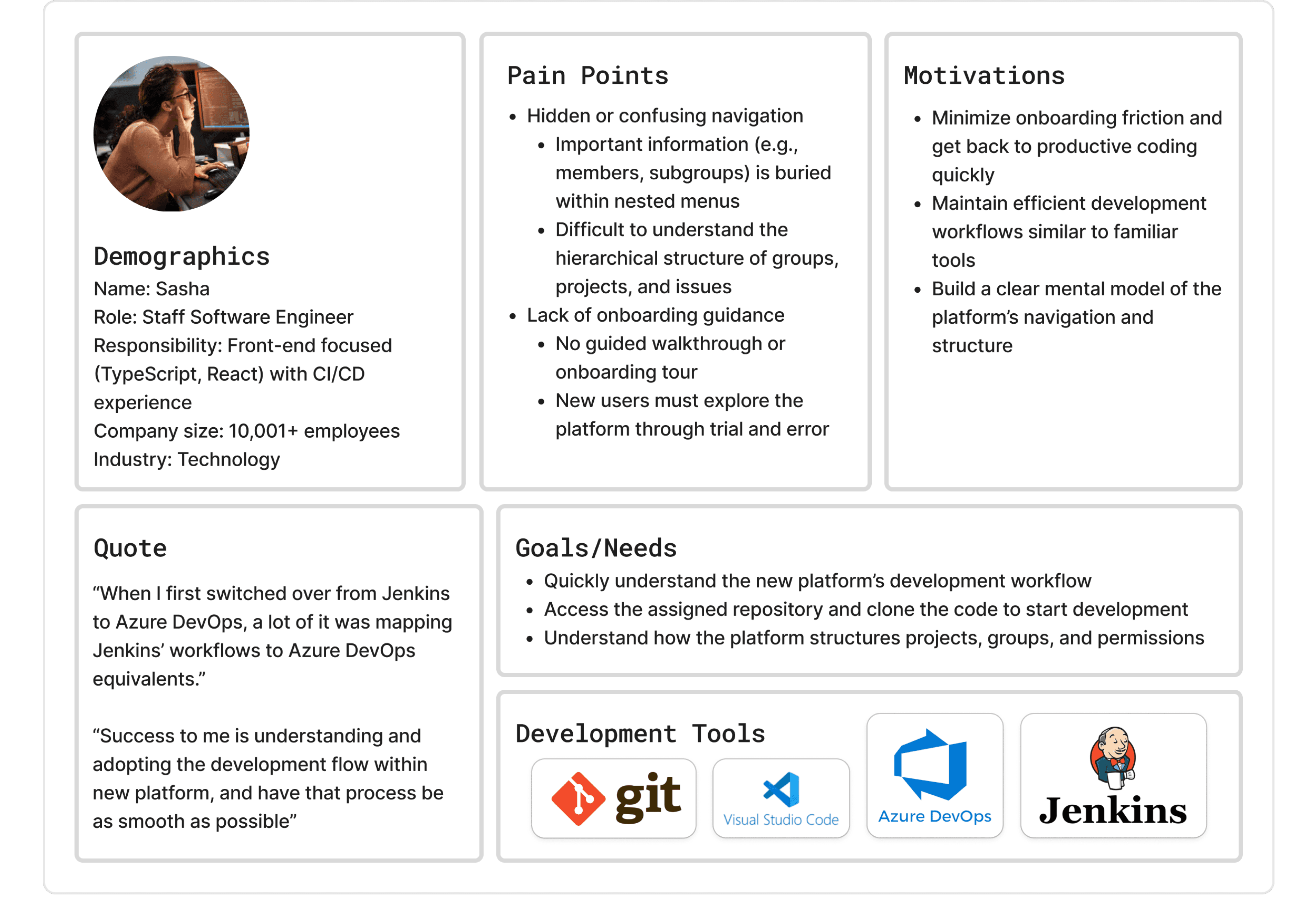
Creating user persona based on interview data
--
Design concepts
A/B tested 2 concepts and iterated on designs
Problem Statement
I am a software developer who has recently been invited to an organization’s GitLab instance and need to quickly get up to speed on my team’s project and begin completing tasks, but confusion around the platform’s hierarchical structure makes it difficult to understand where I am and how different levels relate, reducing my efficiency and confidence.
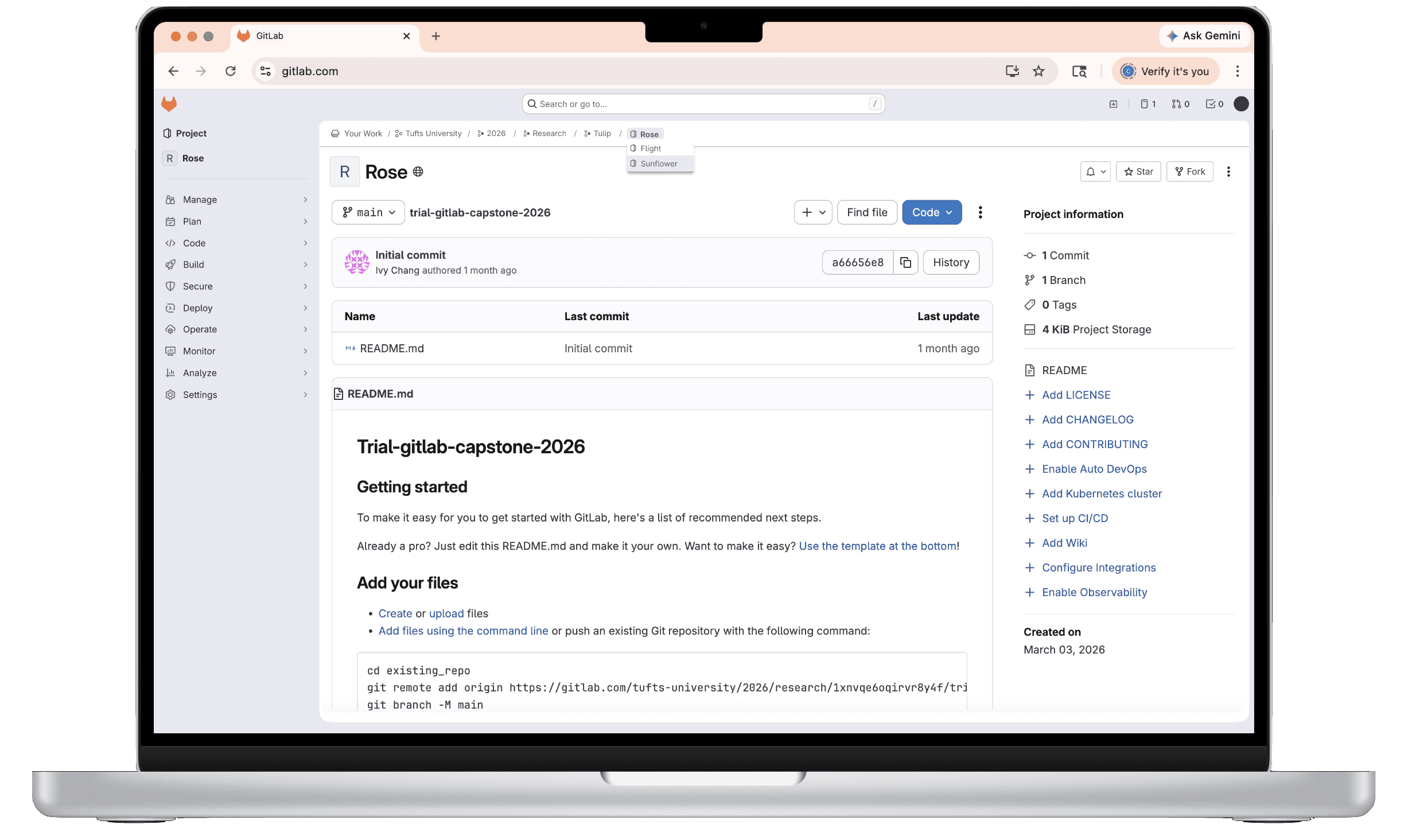
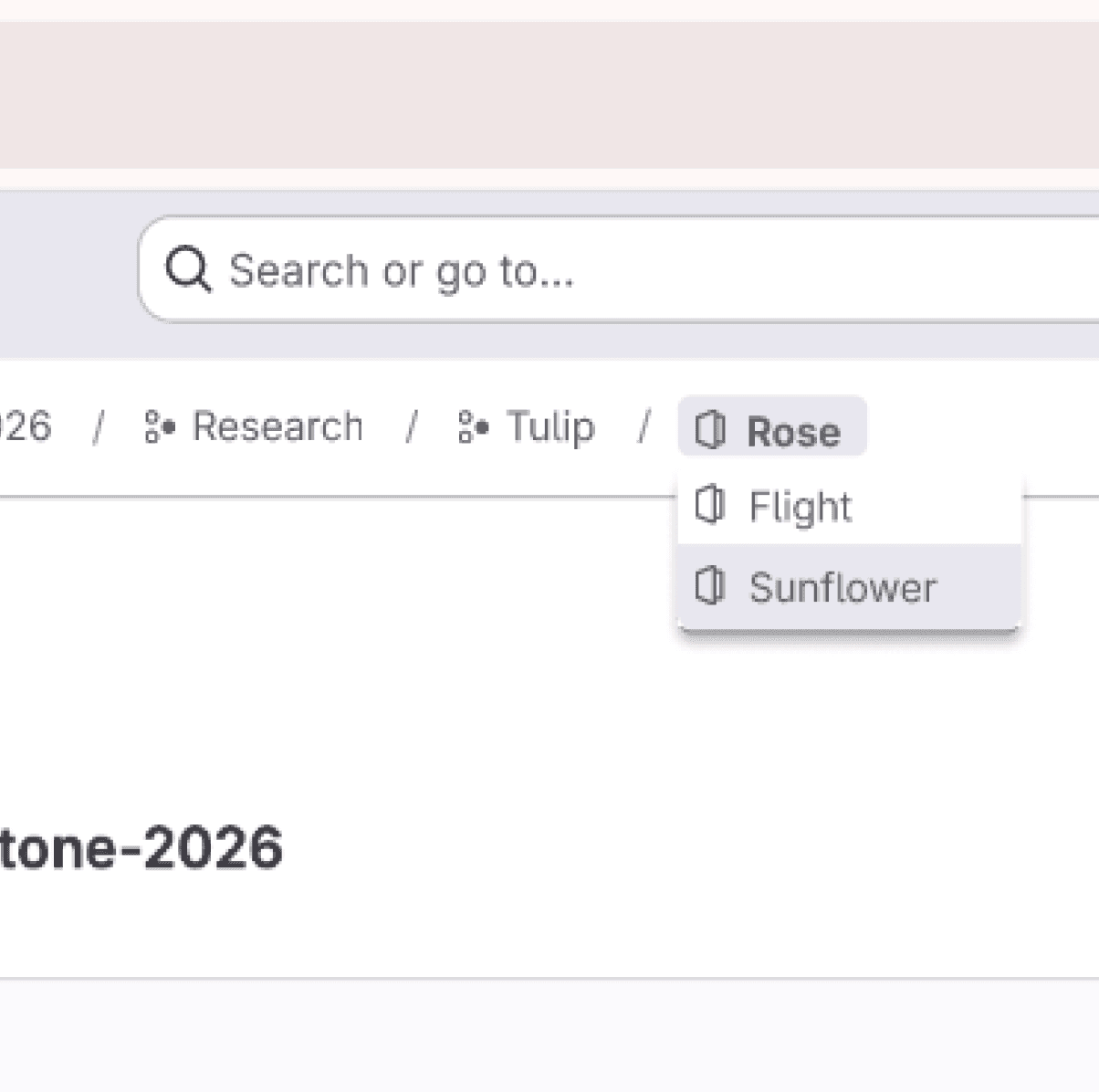
Concept #1: Breadcrumb dropdown
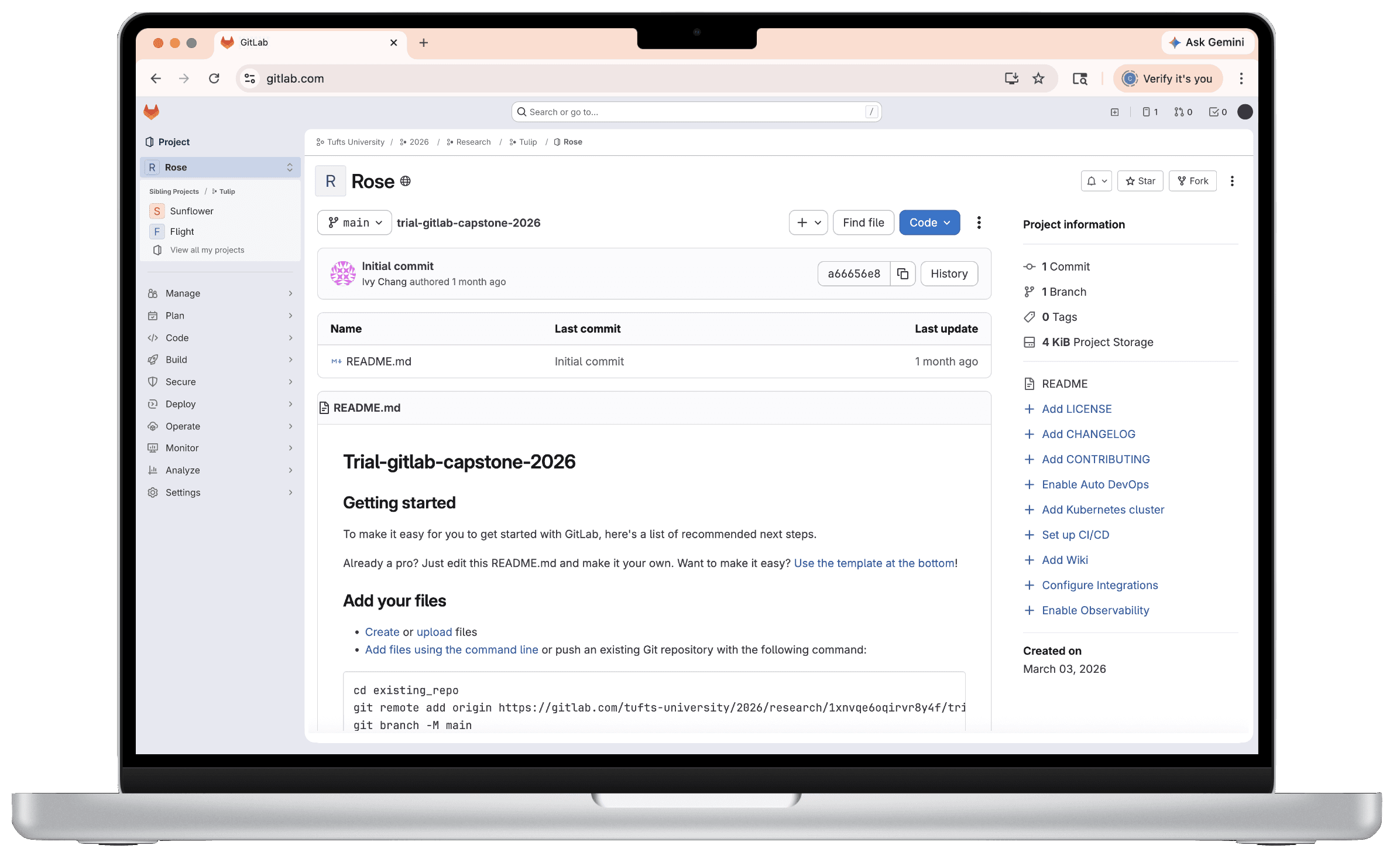
When users hover over a breadcrumb, the sibling projects or groups appear in a dropdown. On click, they can navigate to the page. This concept solves the problem statement by providing a tool for reorientation and multi-level navigation. It allows users to understand and switch between multiple levels of the hierarchy simultaneously, and clearly indicates the relationships across different levels.
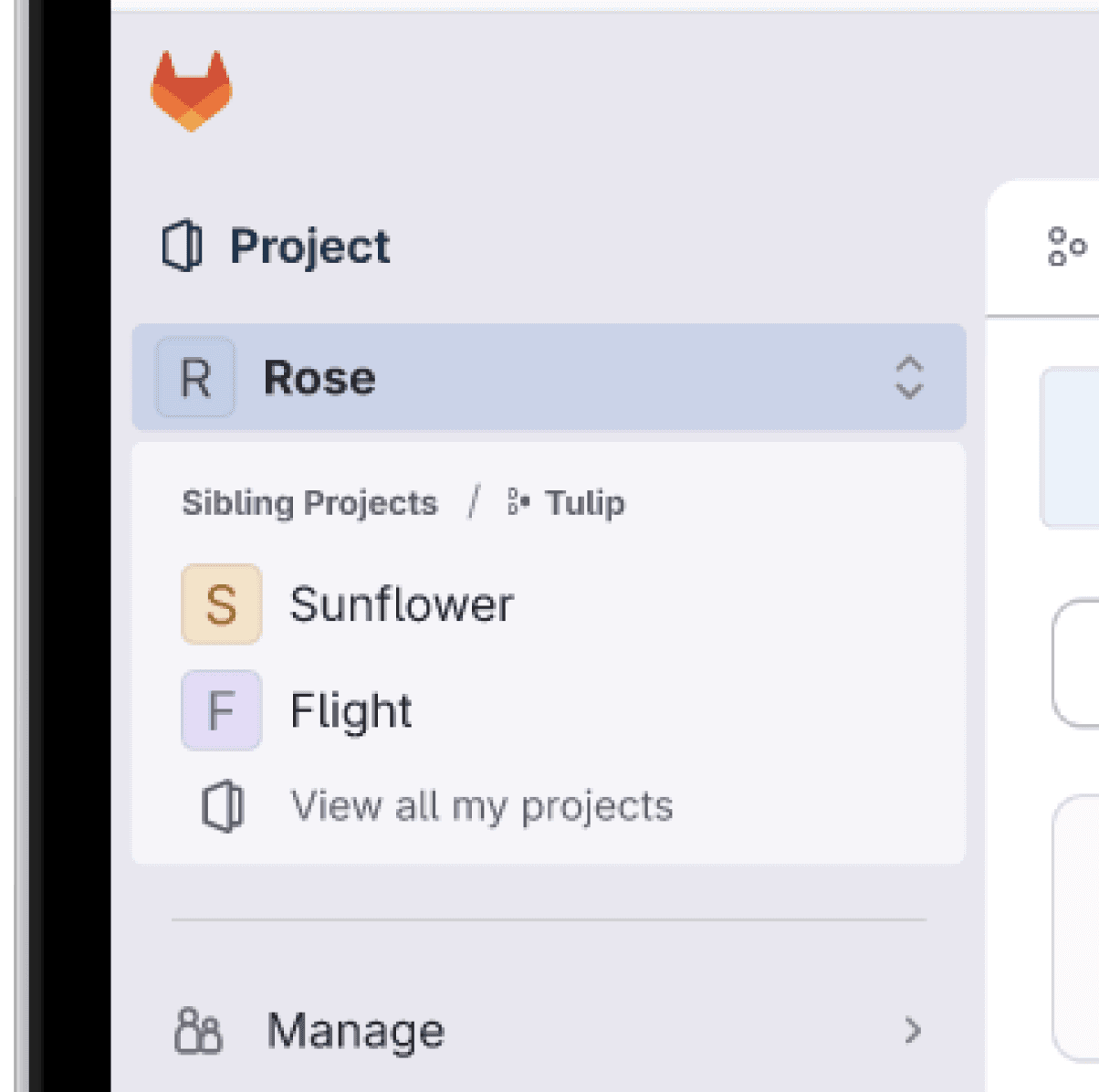
Concept #2: Sidebar dropdown
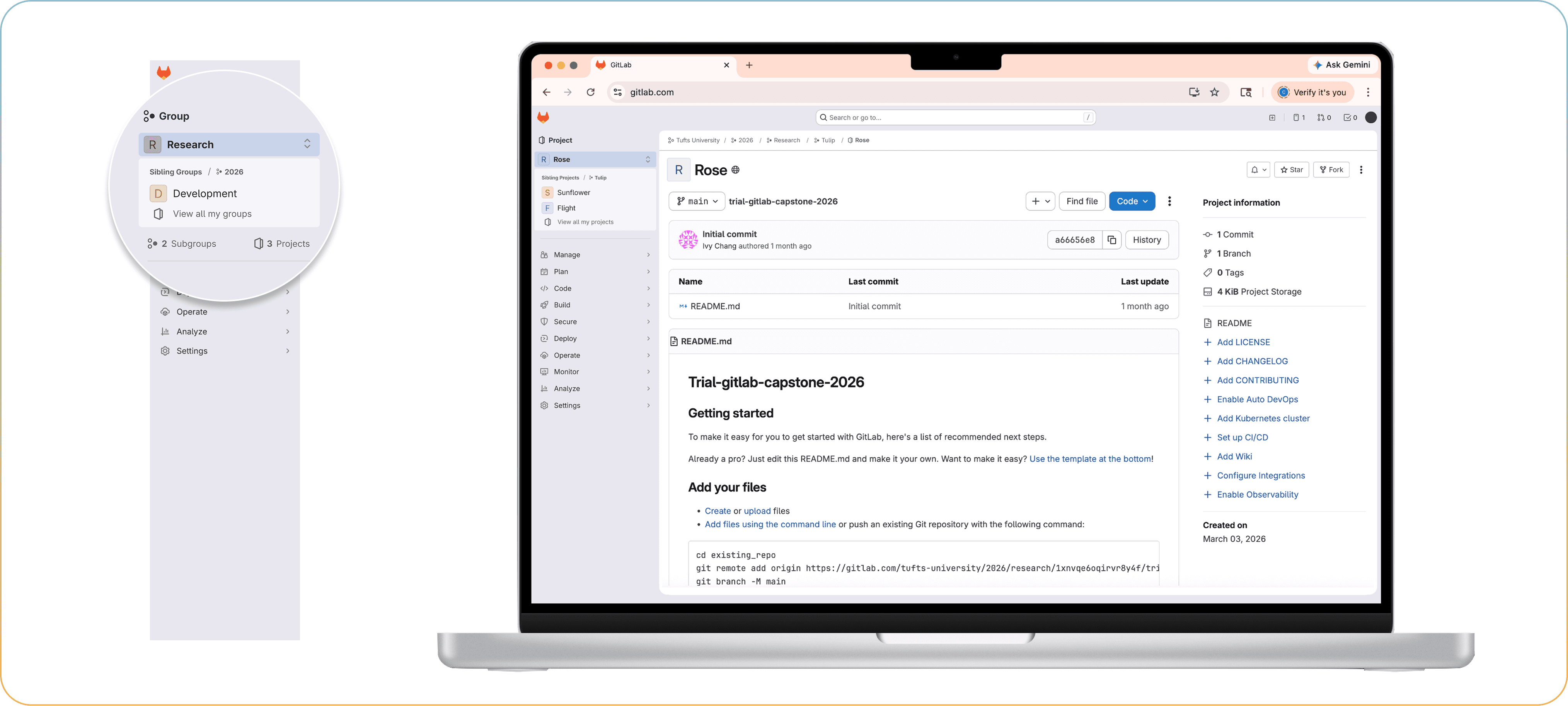
The page title has a new icon on the right that indicates interactability: on click, sibling projects or groups are revealed in a dropdown. This concept solves the problem statement by providing hierarchical clarity through explicit labeling. The use of explicit titles within the dropdown, such as "Sibling Project" or "Sibling Group," significantly increases user confidence in understanding where they are and what they are looking at. Users learn how different levels relate to one another by interaction.
--
Usability Testing Round #1
Research Questions & Goals
Do users find the navigation bar changes (breadcrumb and sidebar) familiar and aligned with their expectations?
Does one concept increase confidence in users when navigating than the other?
Does one concept more effectively help users understand information hierarchy than the other
We created a script to standardize moderation across 6 testing sessions, avoiding words like “project” or “group” so as not to lead the participant toward any answers. We swapped the order of which design concept each participant saw first in order to reduce potential bias.
Main Findings
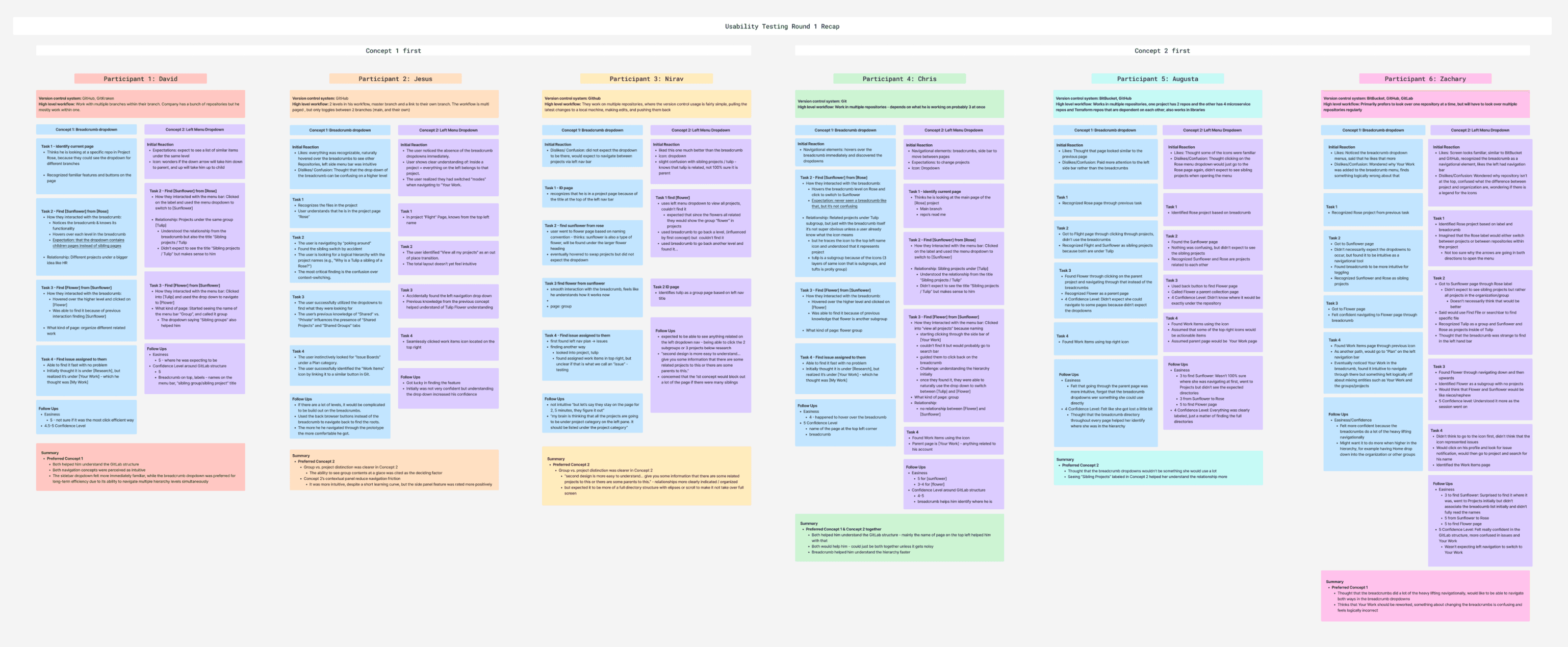
3/6 Preferred Concept #2
✅ Explicit labeling within the dropdown like “Sibling Project” titles significantly increased user confidence
✅ The addition of icons across the page also contributed to user confidence
✅ A cleaner interface to look at
❌ UI is unconventional and that they have never seen a dropdown in the sidebar that offers this functionality. Hence, there is a learning curve.
2/6 Preferred Concept #1
✅ Liked that they could switch between multiple levels of the hierarchy at once
❌ Discoverability is lower when participants didn’t expect the dropdown
❌ Some participants also expected a different logic for both the dropdown content and the anchor
1/6 Preferred Combined
✅ Users can learn about the parent/child relationship in multiple ways
❌ Could make the interface feel overwhelming and noisy
Edge case?
GitLab often have many subgroups and projects under the parent page, how do we design for scenarios where there are hundreds of sibling items? What does an effective and technically feasible UX look like?
--
Next Steps
How we plan to move forward
Iterate on Designs
We plan to move forward with Concept #2 and iterate on the design, addressing edge cases and key usability issues. The final prototype will closely follow the GitLab Pajamas Design System.
Mock Grooming Session
We will hand-off our Figma prototype to GitLab engineers for technical feedback.
Usability Testing Round #2
We will conduct our final round of usability testing on our iterated Concept #2 and the baseline GitLab interface to measure task success rates, user confidence, and SEQ scores, in order to validate the effectiveness of our design solution.
Final design coming soon....





© Ivy Chang 2026
Thanks for stopping by! Let’s stay connected